


Description
Plan the roster, log actual clock-in and clock-out times and see hours, overtime, night and weekend premiums and an estimated gross pay for every employee. One workbook for small hotels, guesthouses, cafés, tour operators and ops teams. Every total is a formula, so nothing has to be added up by hand.
Features
- Settings sheet: pay period, weekly overtime threshold and multiplier, night window, night and weekend premium %, long-shift and variance alerts, and 8 shift types you can rename or add to
- Employees: IDs, roles, teams, hourly rates, contracted hours (room for 50, all included in Weekly Hours and Payroll)
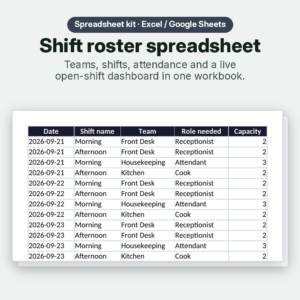
- Roster: dropdowns for employee and shift type; start, end, planned hours, day and weekend flag fill in automatically (600 rows ready)
- Timesheet: clock in/out with overnight shifts handled, variance vs plan, night and weekend hours, automatic status flags (600 rows ready)
- Weekly Hours: hours and overtime per employee per week with a heatmap
- Payroll: pay-period summary and gross pay estimate per employee, with totals
- Dashboard: KPI tiles, top 3 by hours, open issues by type and a top-10 hours chart
- Premium layout: colour-coded headers, frozen panes, named ranges, data validation, conditional formatting, print-ready landscape pages with repeated headers
What’s calculated for you
- Worked hours = clock out − clock in − break, overnight-safe (MOD)
- Planned hours from the shift type, and planned vs actual per person per day (SUMIFS on date + employee). Split shifts are not double-counted: the day’s plan is shared evenly across that day’s timesheet rows, so for uneven splits (e.g. 3 h + 5 h) compare the day total rather than each row
- Night hours: overlap of each shift with your night window (default 22:00–06:00), across midnight, capped at worked hours so breaks never earn a night premium
- Weekend hours on Saturday and Sunday, counted by the date the shift starts (WEEKDAY)
- Status flags: Missing punch, Long shift, Unplanned, Over plan, Under plan, OK; the dashboard counts issues inside the pay period only
- Weekly overtime = MAX(0, week hours − your threshold), per employee and week (SUMIFS)
- Payroll per employee: shifts worked (COUNTIFS), regular / overtime / night / weekend hours, regular pay, overtime pay (OT hours × rate × multiplier), night premium, weekend premium, gross pay, hours vs contract, open issues and a status, plus totals and the hours-weighted average rate (SUMPRODUCT)
- Dashboard KPIs: total hours, gross payroll, overtime hours and cost, premium cost, employees with overtime (COUNTIF), open issues, planned vs actual %, average hourly cost, top 3 by hours (LARGE + INDEX/MATCH)
Who it’s for
Owners and managers of small hotels, guesthouses, cafés, restaurants, tour operators and service teams (about 5–30 staff) who want clear hours and pay figures without buying a full HR or payroll system.
What’s included
- Outzone-Shift-Timesheet-Payroll.xlsx (8 sheets, illustrative sample data with a fictional hotel and staff)
- Outzone-Payroll-Quick-Start.pdf (4-page guide)
- README.txt
Works with
Microsoft Excel 2016 or later and Microsoft 365, Google Sheets (upload and save as Google Sheets) and LibreOffice Calc. Only widely supported functions are used: SUMIFS, COUNTIFS, SUMPRODUCT, INDEX/MATCH, MOD, WEEKDAY and LARGE.
Figures are estimates for planning and checking hours. They are not tax or legal payroll advice, and no tax or withholding is calculated.
License
One-time digital download for your organisation. Use on unlimited devices within your team. Do not resell or redistribute.
Reviews
There are no reviews yet.